Checked October 26, 2026
Body Scanner Guide: Missing Limbs and Wrong Skeletons
Compare passenger skeletons on the body scanner and recognize a clear structural anomaly before choosing approve or deny.
Quick answer
Wait for a complete skeleton, then compare the head, torso, arms and legs. The developer explicitly identifies missing limbs and wrong skeletons as reasons to investigate.
Continue: InterrogationCompare before changing
Examples come from reviewed recorded gameplay and the official game description. Updates can change interfaces and balance.
On small screens, swipe the table to compare all columns.
| Check | Reference scan | Investigate further |
|---|---|---|
| Head | Head connected above the torso | An obviously different skull structure |
| Arms and hands | Both sides visible in the scan | Missing parts or distinctly different proportions |
| Torso and legs | A complete displayed skeleton | Absent limbs or a clearly wrong skeleton |
| Screen state | Full result is visible | Blank screen, blocked view or an unfinished scan |
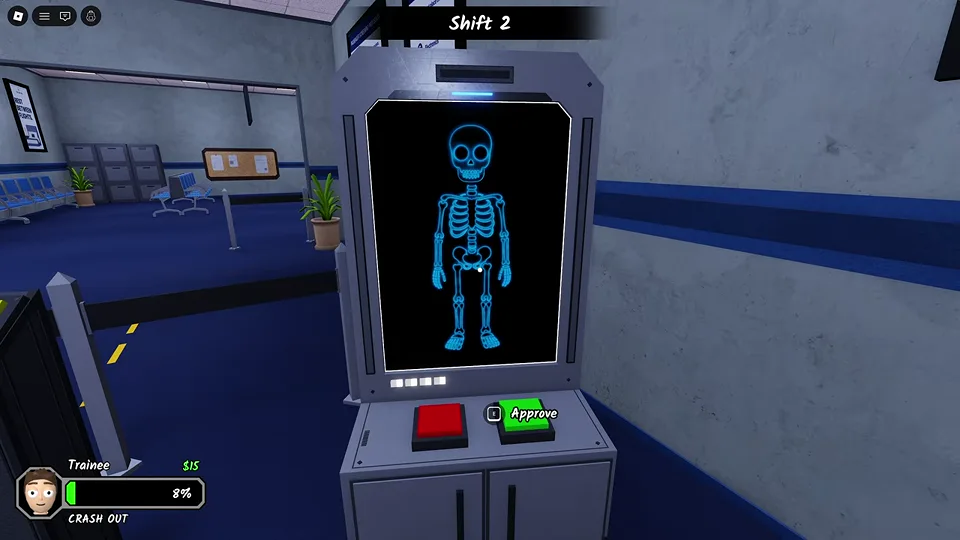
In one recorded scan, the blue skeleton shows a head, ribcage, pelvis, two arms and two legs. Use that as a visual reference from the recording, then examine the actual result in front of you.
Work from top to bottom: head and neck, torso, both arms and hands, pelvis, then both legs and feet. Missing parts and an obviously different body structure deserve attention. No official exact limb-length tolerance or complete anomaly catalogue has been verified.
The green control is labeled Approve in the reference frame. Use it only after you have actually inspected the scan and the rest of the passenger evidence.
§Find the body-scan screen#
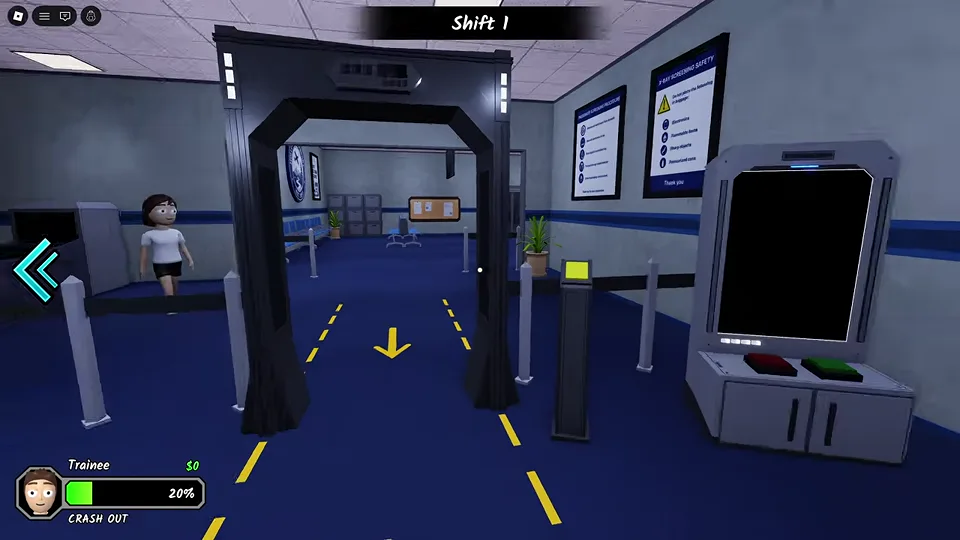
The body-scanning lane has a walk-through arch, a nearby screen and red and green decision controls. Yellow floor arrows show the direction of movement through the checkpoint in the recorded build.
An empty black monitor does not show a completed clean scan. Track the passenger, let the scan appear and inspect the whole skeleton. Keep the station separate from the luggage X-ray, which displays the bag rather than the passenger body.
§A visibly different skeleton#
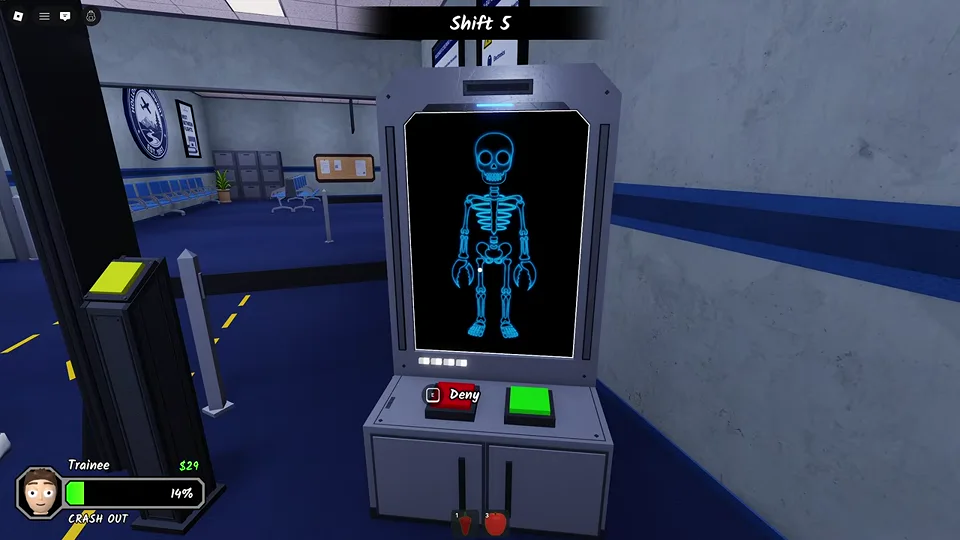
A later recorded scan shows an unusually broad skull and oversized rounded hands compared with the earlier reference. This is a concrete example of a structural difference you can see on the monitor.
The nearby red control displays Deny in this frame. The screenshot illustrates the decision location and the suspicious shape. It is not a claim that every unusual external outfit, hairstyle or body shape makes a passenger an anomaly.
§When the image remains unclear#
Step close enough to read the screen and wait until the full body is displayed. If a part is hidden by your viewing angle or another player, reposition before deciding.
Use the other checks to resolve uncertainty. The official game also provides cameras and interrogation tools. One normal-looking scan should not make you ignore a contradiction elsewhere, and an unfinished image should not be turned into an automatic denial.
Scope and sources
Examples come from reviewed recorded gameplay and the official game description. Updates can change interfaces and balance.
- Gameplay images are from an October 8 recording. Later updates may change layouts, prompts and events. Follow the instructions displayed in your session.